Mullio

A clear view of every project.

Mullio is a project tracker for residential designers and architects. Open it in the morning and it tells you which job to work on next, and why.

Free while in early access. I'll email you when your spot opens.

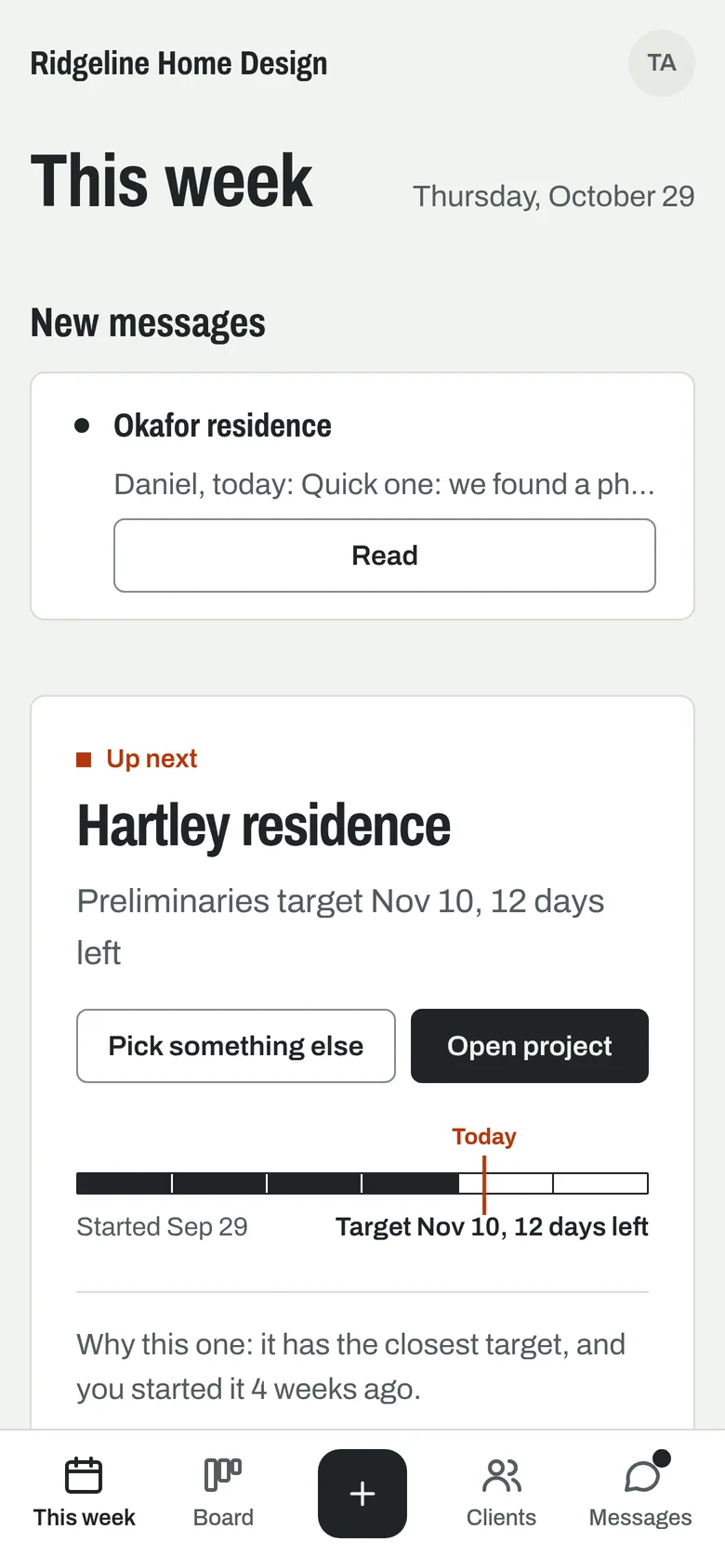
Mullio's This week page on a phone. Up next is the Hartley residence, 12 days left on its Preliminaries target, picked because it has the closest target.
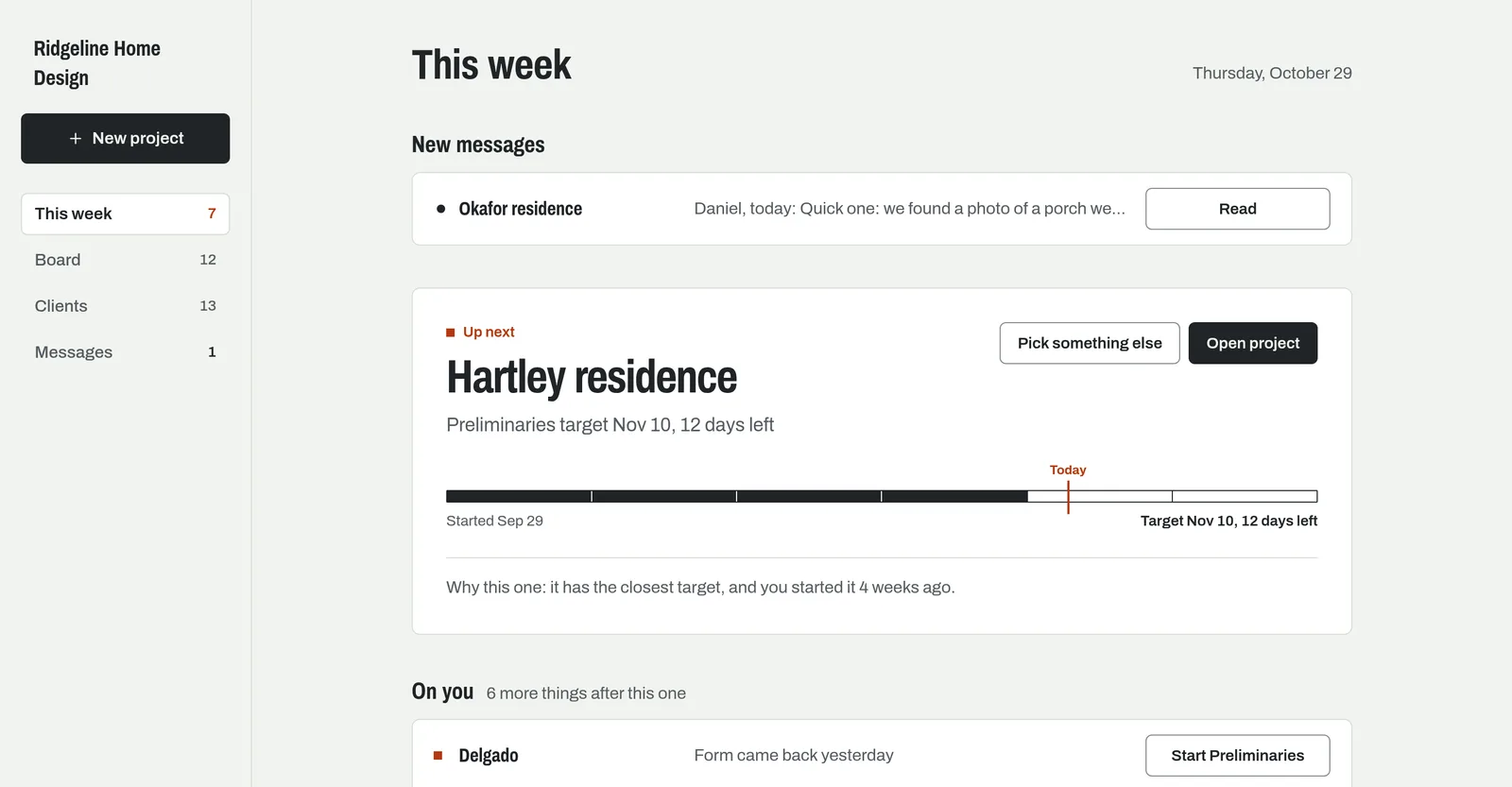
Mullio's This week page. Up next is the Hartley residence, with a timeline bar showing 12 days left on its Preliminaries target and the reason it was picked: it has the closest target. Above it, a new message from a client.

Your paper list, as a board.

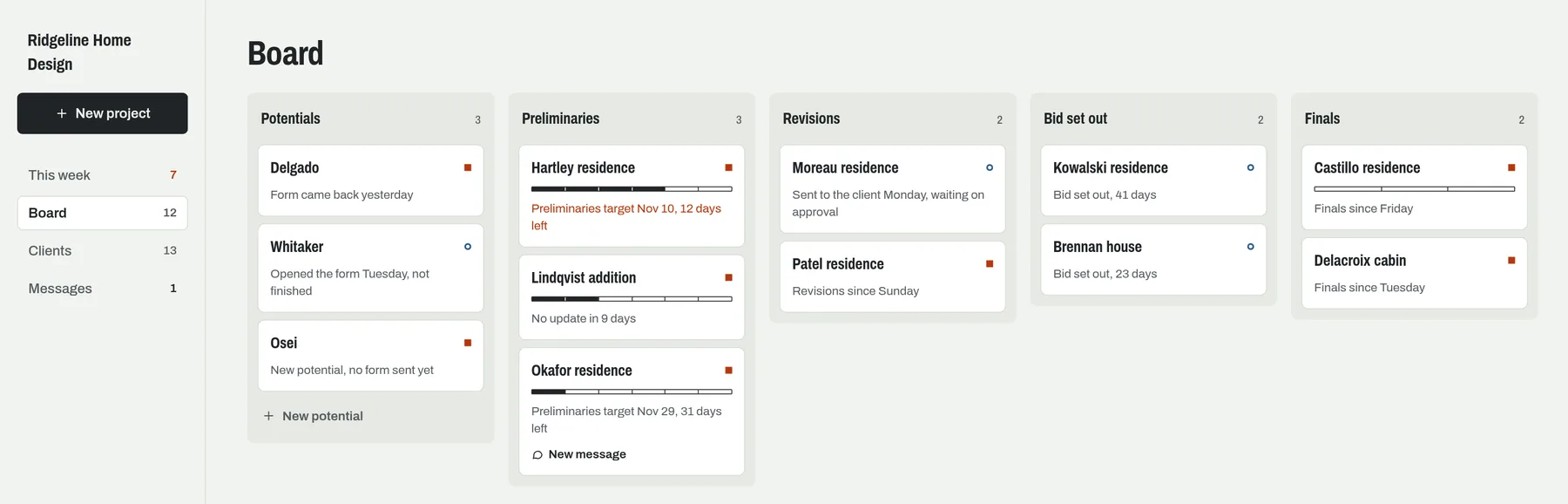
Potentials, Preliminaries, Revisions, Bid set out, Finals, or rename them to the phases you use. Every job sits in one lane, and moving it along takes one tap.

Mullio works out whose turn it is from where each job sits: a red square when it's on you, a blue ring when a client or builder has it.

Mullio's Board with five lanes: Potentials, Preliminaries, Revisions, Bid set out and Finals. Each project card shows a red square when it's on the designer or a blue ring when it's waiting on someone else, and Preliminaries cards show a timeline bar.

Clients answer from their phone. No accounts, no passwords.

Questionnaires from a link

Send your design questionnaire from your own phone. Clients fill it in on whatever they have, it saves as they go, and blanks are fine. Their answers fill in the project for you. See the questions

A page for each client

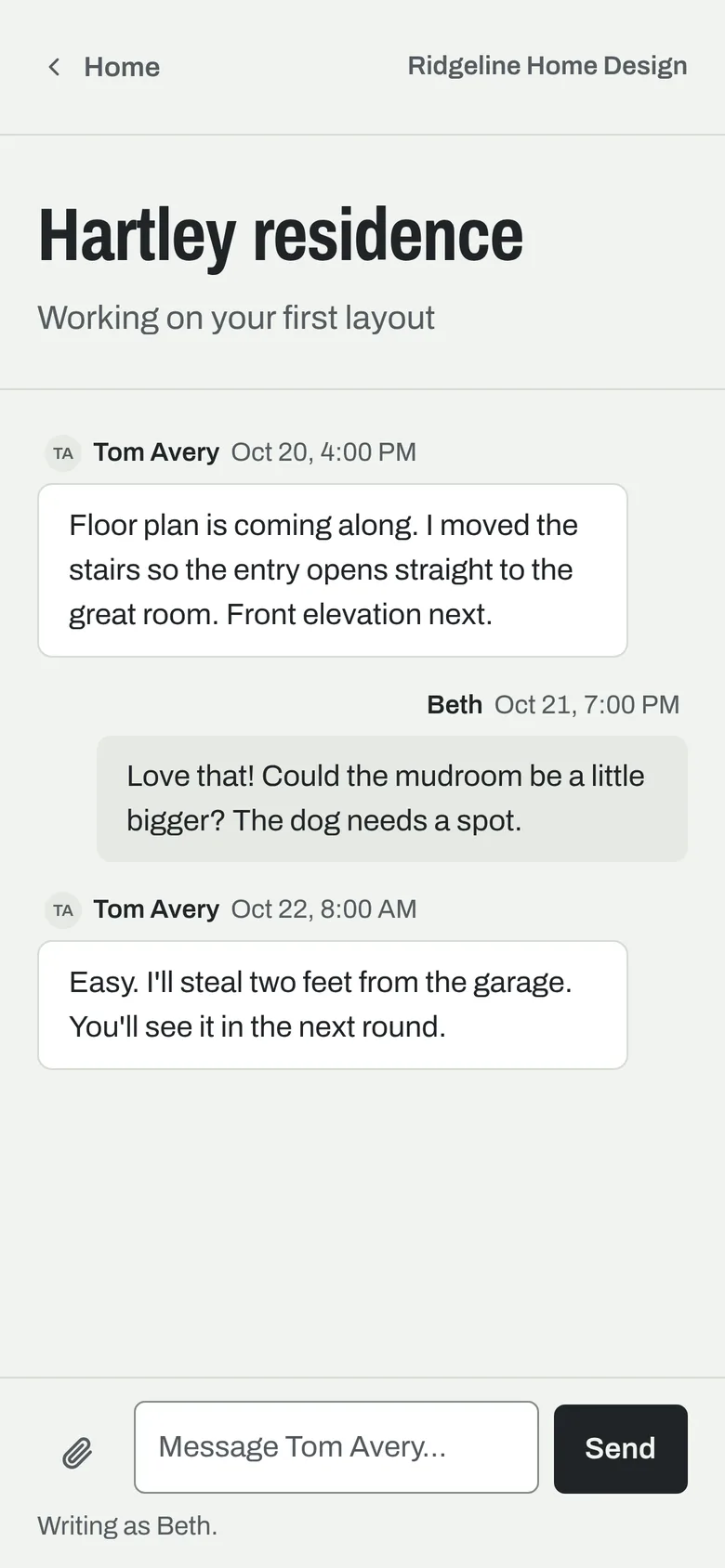
Each client gets a private page with where their project stands, in plain words, and a conversation for each job. Photos and decisions stop getting lost between texts and email.

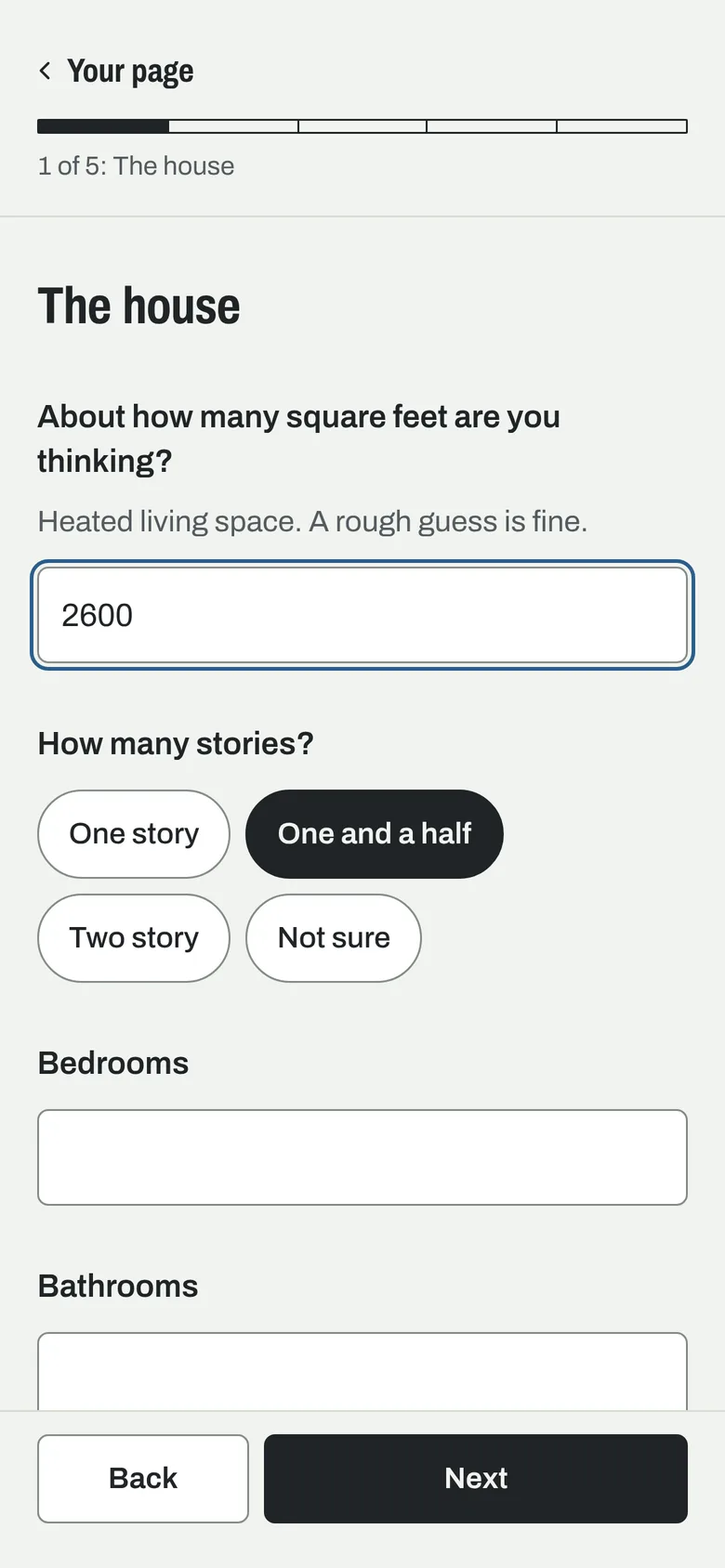
A client filling in the house questionnaire on a phone: square feet, number of stories as tap-to-pick choices, bedrooms and bathrooms, with Back and Next buttons.
The questionnaire
A client's private page on a phone for the Hartley residence: its status, Working on your first layout, and a conversation with the designer about making the mudroom bigger.
Their page

Every client's messages in one place

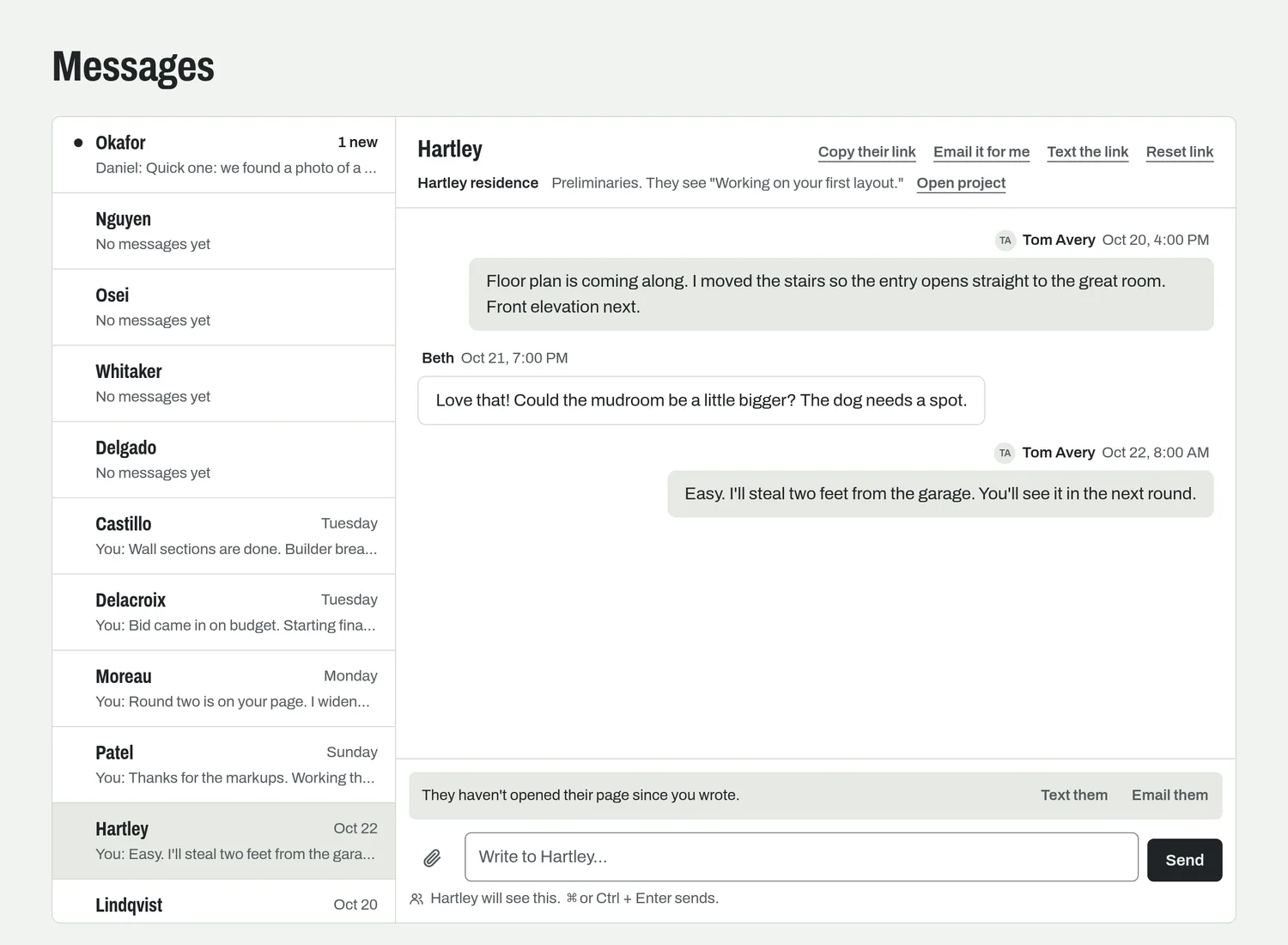
One inbox, by client, with a thread for each project. You see who hasn't opened their page since you wrote, and can text or email them the link in a tap.

Your day by 7 a.m.

A short morning email with what's on you today. On Mondays it adds how last week went. Then close it and get to the drawing.

Mullio's Messages inbox: clients listed down the left with the newest unread first, and the Hartley conversation open on the right, with a note that the client hasn't opened their page since the last message.

What Mullio won't do

Show clients your deadlines
Targets are yours alone. Clients see where their project stands, in plain words, never a date you might miss.
Ask you to keep it up to date
Whose turn it is, how long a job has sat and what goes on this week are all worked out for you.
Make you track your hours
There's no timer to start and stop. Mullio follows the work, not the clock.
Take a week to set up
Bring your current list over and it's ready the same day. No consultants, no onboarding calls.

It started with a sheet of paper

My dad has drawn custom homes for about 30 years. His whole system was one sheet of paper on the drafting table, with five lists: Finals, Preliminaries, Revisions, Quotes and Potentials.

It worked, mostly. The trouble was new jobs. Once a contract was signed, the preliminary design would sit while revisions and finals for other clients jumped ahead, and the client would call every week to ask where things stood. Every tool he tried was built for big firms and added more work than it took away. So I built Mullio for him.

Nolan HovisMade MullioRead the whole story

Questions

What does it cost?
Nothing while Mullio is in early access. Pricing comes before the full release, and people on the waitlist hear about it first.
Who is it for?
Residential designers and architects with a lot of jobs going at once: new homes, remodels and additions. It started with one designer's sheet of paper, and it's built to stay that simple as a studio grows.
Do my clients need an account?
No. Each client gets a private link to their page and their questionnaire. There's nothing for them to sign up for and no password to forget.
Does it replace my CAD software?
No. Keep drawing in Chief Architect, SoftPlan, Revit, ArchiCAD or whatever you use now. Mullio keeps track of the jobs around the drawings.
Does it work on my phone?
Yes. It runs in your phone's browser, and you can add it to your home screen like an app.
Can the rest of my team use it?
Today each studio has one designer's login. Room for more people in a studio is coming next, and people on the waitlist will hear first.
When can I start?
People are coming in a few at a time. Join the waitlist and you'll get an email when your spot opens.

Know what to work on next.

Free while in early access. I'll email you when your spot opens.